 coolmathgames.com.es

Popular Games
Last Played


Vehicle Parking Master 3D
0 plays




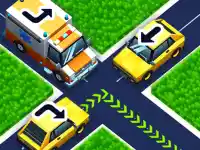





















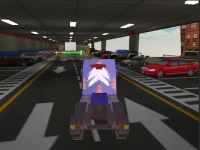





Vehicle Parking Master 3D
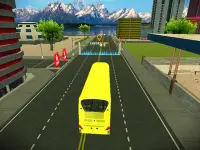
Puzzle Games enthusiasts will love Vehicle Parking Master 3D, a thrilling experience that combines the excitement of 3D Games with the challenge of parking. This entertaining game requires patience, skill, and strategy to master the art of navigating tight spots, avoiding collisions and drifts that can send your car spinning.
How To Play Vehicle Parking Master 3D
Get ready to put your parking skills to the test with Vehicle Parking Master 3D. The game is easy to play, with simple controls and intuitive gameplay. Select a level, guide your car into the designated space, and avoid crashing or knocking anything over.
Controls and Features
Vehicle Parking Master 3D features 3D Games with a unique twist on parking. Use the arrow keys or WASD to steer, and the spacebar to brake or reverse. With over 40 levels to complete, you'll have plenty of opportunities to master the art of parking in 3D.
Tips
To improve your skills in Vehicle Parking Master 3D, remember to take your time when parking in tight spots. Avoid making sudden movements, as the physics can be unpredictable and cause your car to drift or spin.
FAQ
What are the controls for steering in Vehicle Parking Master 3D?
Use the arrow keys or WASD to steer your vehicle.
What is the main objective of Vehicle Parking Master 3D?
The main objective is to park your car without crashing or knocking anything over.
Can I play Vehicle Parking Master 3D with friends?
Vehicle Parking Master 3D is a single-player game, but you can challenge yourself to beat your high score and become the ultimate parking master.
How many levels are available in Vehicle Parking Master 3D?
Vehicle Parking Master 3D offers over 40 levels to master, each with increasing difficulty and complexity.
About this game
- Supported devices
- Desktop
- Genre
- Puzzle Games
- Release date
- 18 March 2024
- Latest update
- 18 March 2024
- Rating
- No ratings yet